Coverage
Three engines cover the formats that matter most for real reverse engineering work:
Native x86/x64
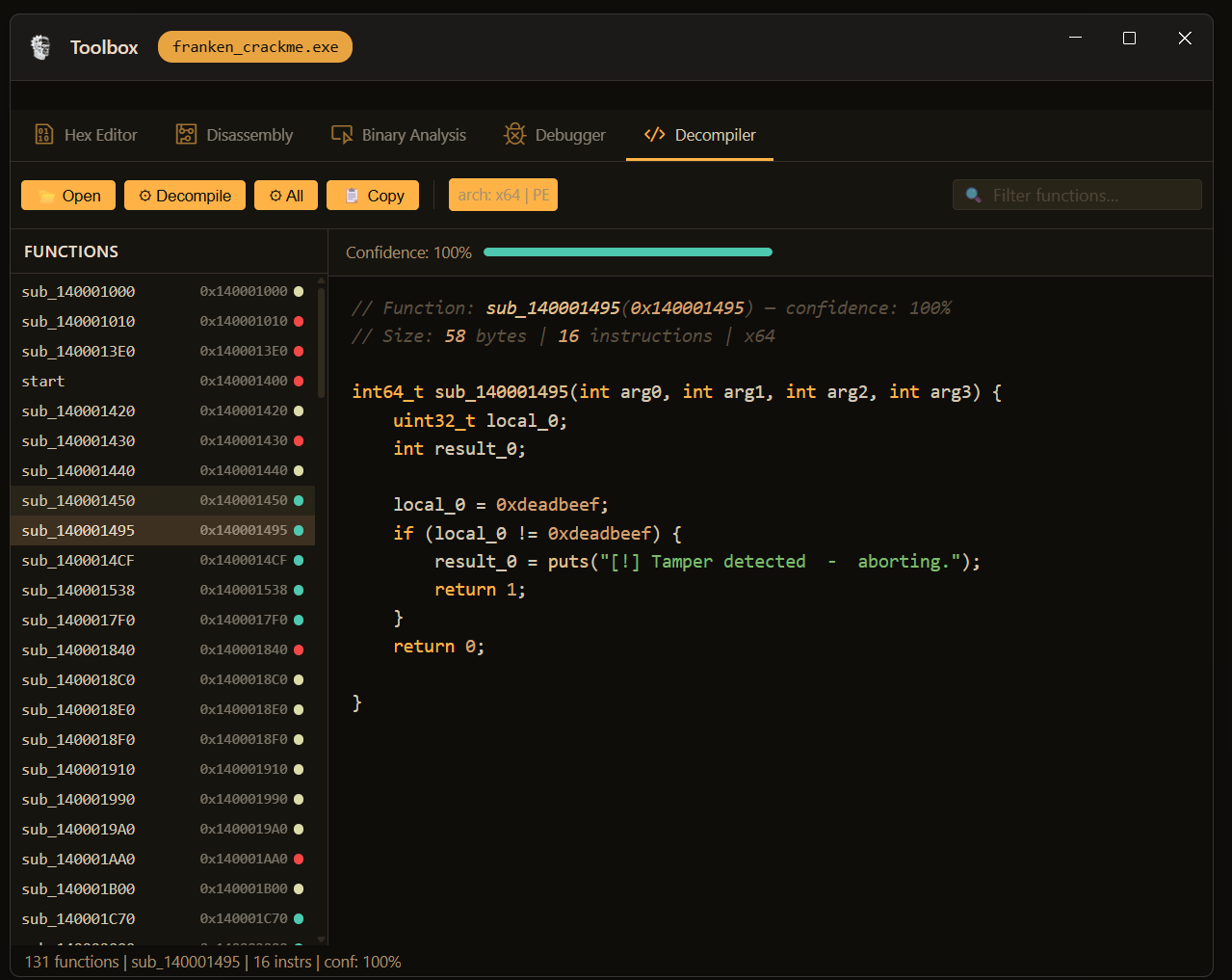
PE and ELF binaries written in C, C++, Rust, or Go. Outputs C-like pseudocode with per-function confidence scores, recursive-descent function discovery, and full address mapping.
x86
x64
ARM
ARM64
JVM
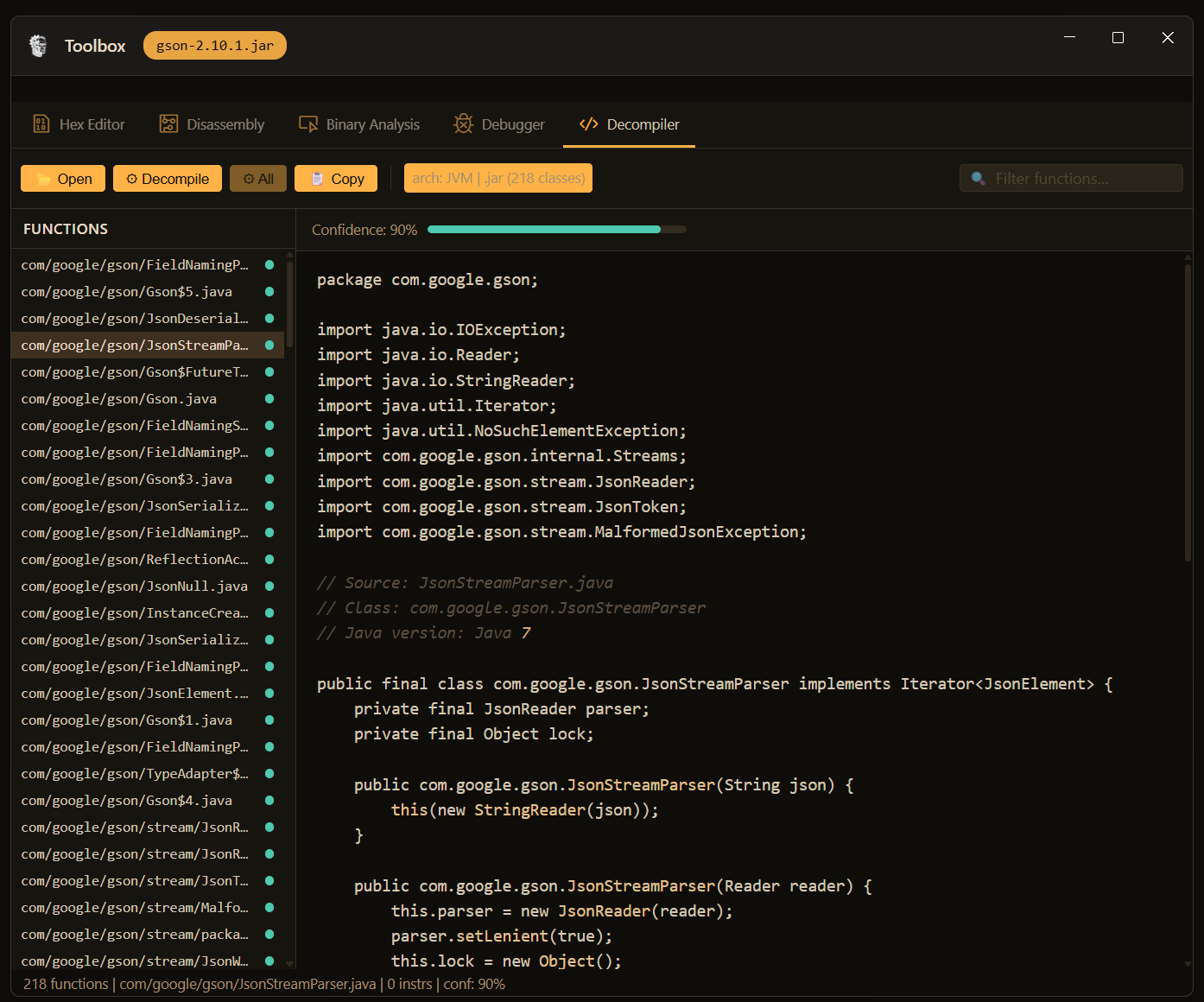
Individual .class files and full .jar archives. Reconstructs Java source with imports, class hierarchy, inner classes, and method bodies. Lists every class in the archive.
.class
.jar
Java
.NET CIL
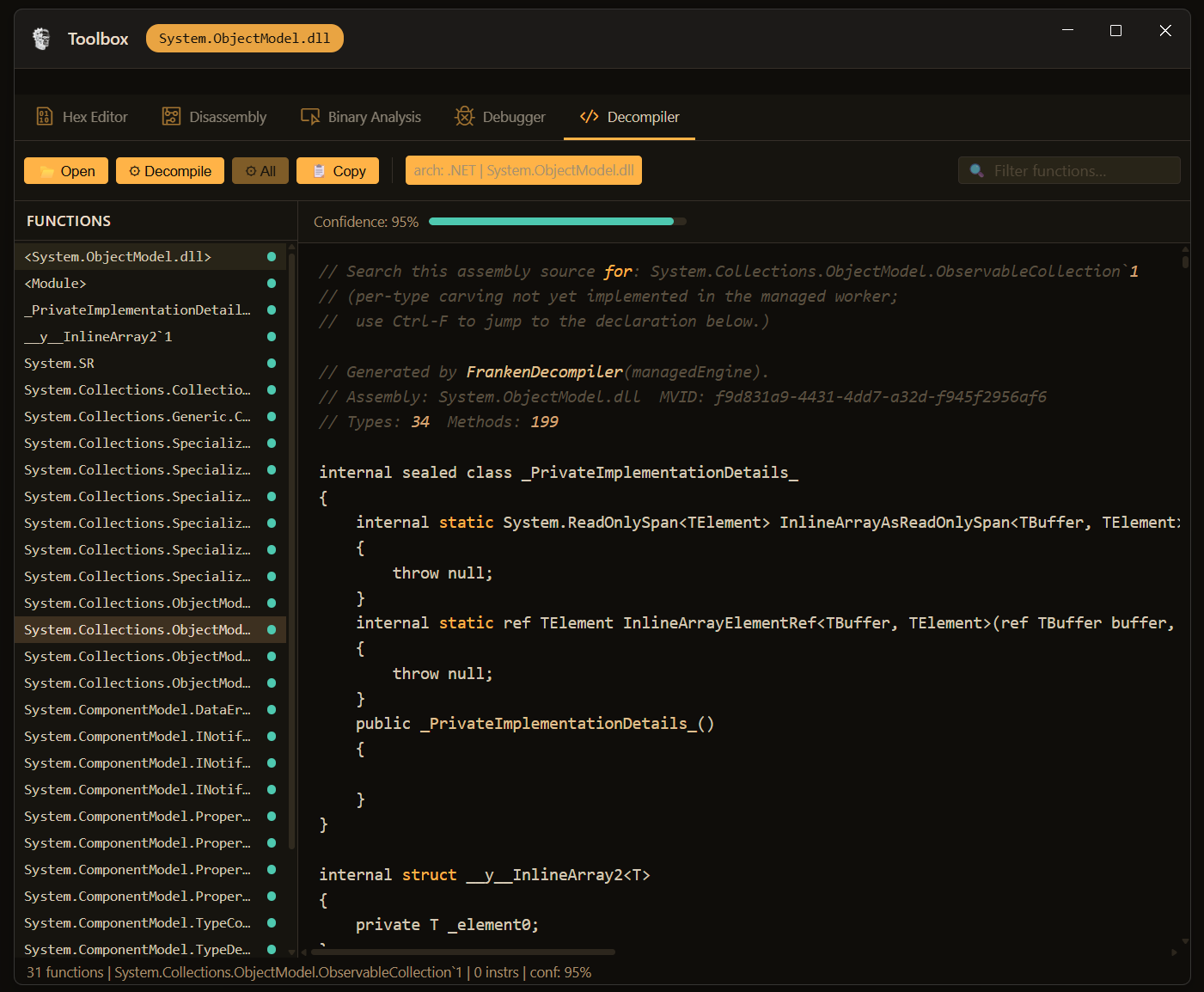
Managed assemblies — .dll and .exe. Outputs C# with async/await, generics, LINQ expressions, records, nullable types, and full assembly metadata.
.dll
.exe
C#
One Toolbox. Auto-Detection.
All three engines live inside the same Toolbox window — the same five-tab UI you use for the hex editor, disassembly view, binary analysis panel, and live debugger. Open any binary and the decompiler reads the file header, identifies the format, and loads the right engine automatically. No engine picker, no mode switching.
Per-function confidence scoring. Every decompiled function displays a confidence percentage alongside the output. The x86 engine showed 100% on the crackme above — that number is per-function, derived from instruction coverage and IR reconstruction quality. Low-confidence output is still useful; it tells you which functions need closer manual review.
Filter and search. The function list panel has a live filter input. On a JAR with 218 classes or a binary with 131 functions, you can get to the relevant code immediately.
Full binary or single function. Decompile the entire binary in one pass, or select a single function from the list and decompile only that.
Agent-Controlled and Manually Usable
Like every tool in the Toolbox, the decompilers are wired directly to the RE Agent as callable tools — the agent can open a file, select a function by name or address, decompile it, read the output, and continue its analysis without any user input. You see every action happen live in the UI as the agent drives it.
They are also fully manual. You can open any binary yourself, browse the function list, decompile individual functions, copy the output, and use it however you want. The agent integration is an addition, not a replacement.
Same-Language Output In Progress
The current native engine outputs C-like pseudocode regardless of the original source language — a Rust binary and a C binary both produce C pseudocode today. That is a known limitation and the next major improvement in progress.
The goal is source-language-aware output: a Rust binary produces Rust, a Go binary produces Go. The proof of concept for this is already built and working — the work now is on reliability and coverage across real-world binaries. When it ships, it will be a free update.
Honest note on the decompilers: They work. They are also early stage and actively being improved. We have seen 90%+ recompilable source rates in benchmarking — meaning the decompiled output compiled back successfully — but treat that as directionally encouraging, not a guarantee.
What we can say with confidence: they produce useful output on real binaries today, the RE Agent can work with what they produce, and development is ongoing. If you hit a binary that trips them up, that is expected — it is a hard problem and the work is not done.